

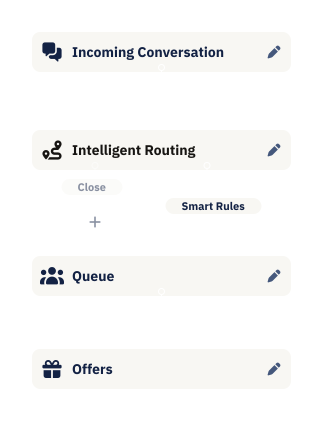
Build automations visually. No code, no tickets, no waiting.
Drag, drop, and connect. Automate tagging, routing, escalations, follow-ups, and more; all without engineering.
Trusted by 850+ brands across 42 countries


.svg)


Automate the work your team shouldn't be doing

Flow Builder
Design conversation journeys with drag and drop

Conversation Automations
Trigger actions based on time, tags, or events

SLA Automation
Act before SLAs breach, not after

Auto-tagging
AI
Conversations tagged and categorized automatically

Automation AI Agent
AI
Triage, enrich and categorize all conversations

Scheduled Actions
Follow-ups and callbacks triggered automatically

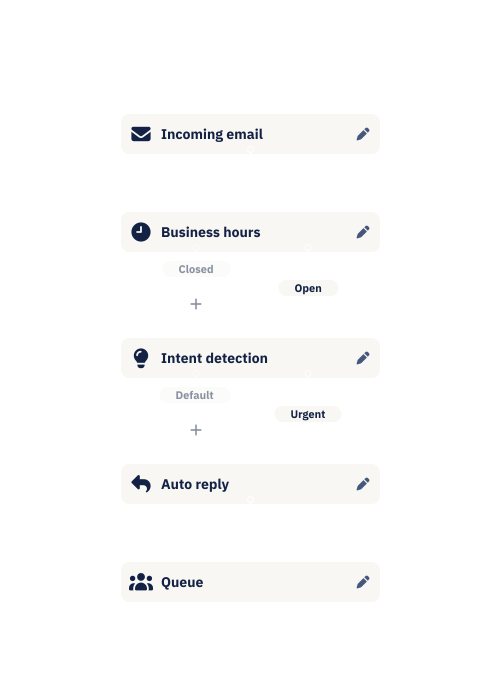
Build workflows the way
you think about them
Flow Builder is visual. Drag a trigger, connect an action, set conditions. You see exactly how conversations will move through your system, and you can change it whenever you need to.
- Build routing, escalations, and auto-replies visually
- See the full flow before it goes live
- Update in minutes, not sprints


Automations that trigger
when it matters
Set rules based on time, tags, SLA status, or conversation events. When something happens, Dixa acts (tagging, routing, escalating, or notifying) without anyone lifting a finger.
- Trigger actions when SLAs are about to breach
- Auto-escalate based on sentiment or keywords
- Schedule follow-ups and callbacks automatically

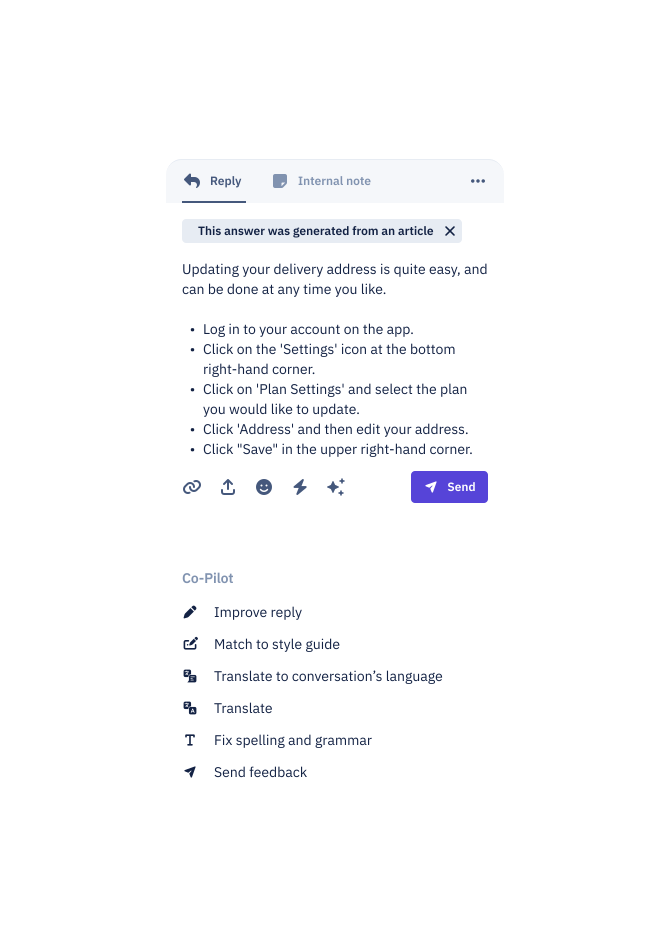
AI that handles the busywork
before your team sees it
The Automation AI Agent analyzes conversations as they come in, extracting information, categorizing contact reasons, adding tags; so your team starts with context instead of building it.
- Auto-tag and categorize incoming conversations
- Extract key details like order numbers or issue types
- Enrich conversations before agents pick them up
The more you integrate and the more you get better at prompting, the more Mim evolves from just an AI agent to really a helping colleague."

Roger Sandmeier
Head of Customer Service at tink
Read the case study
Most providers just focused on content-related AI. Mim gave us the ability to do tasks which normally colleagues do. That's what really made the difference."

Jessica Schulz
Customer Service Manager at Smartphonehoesjes
Read the case study
Dixa’s automation and incredible AI agent assistant have greatly enhanced our efficiency and productivity."

Erica Piccolomini
Chief Customer Officer at Stayforlong
Read the case study
Since partnering with Dixa, we've nearly doubled the workload achieved each day–resulting in extremely positive customer satisfaction and very happy teams."

Natasha Sims
Operations Director at Oliver Bonas
Read the case study
To enhance our CX, we knew that the business needed a unified platform to reduce silos across channels and teams. Dixa's one-screen wonder has been a game changer that keeps our workflows seamless."

Rhys Howells
Head of Customer Service at Rapha
Read the case study


59%
email containment
-90%
seasonal hires at peak


82%
live chat containment
3 pts
CSAT gap, AI vs human


-33%
contact per booking
-50%
email backlog


90%
CSAT
2x
productivity/hour


+14%
improvement in CSAT scores
+17%
increase in customer retention
Frequently Asked Questions
See what Dixa can do for you
Book a call with our team and discover how brands like yours handle more with less.
